

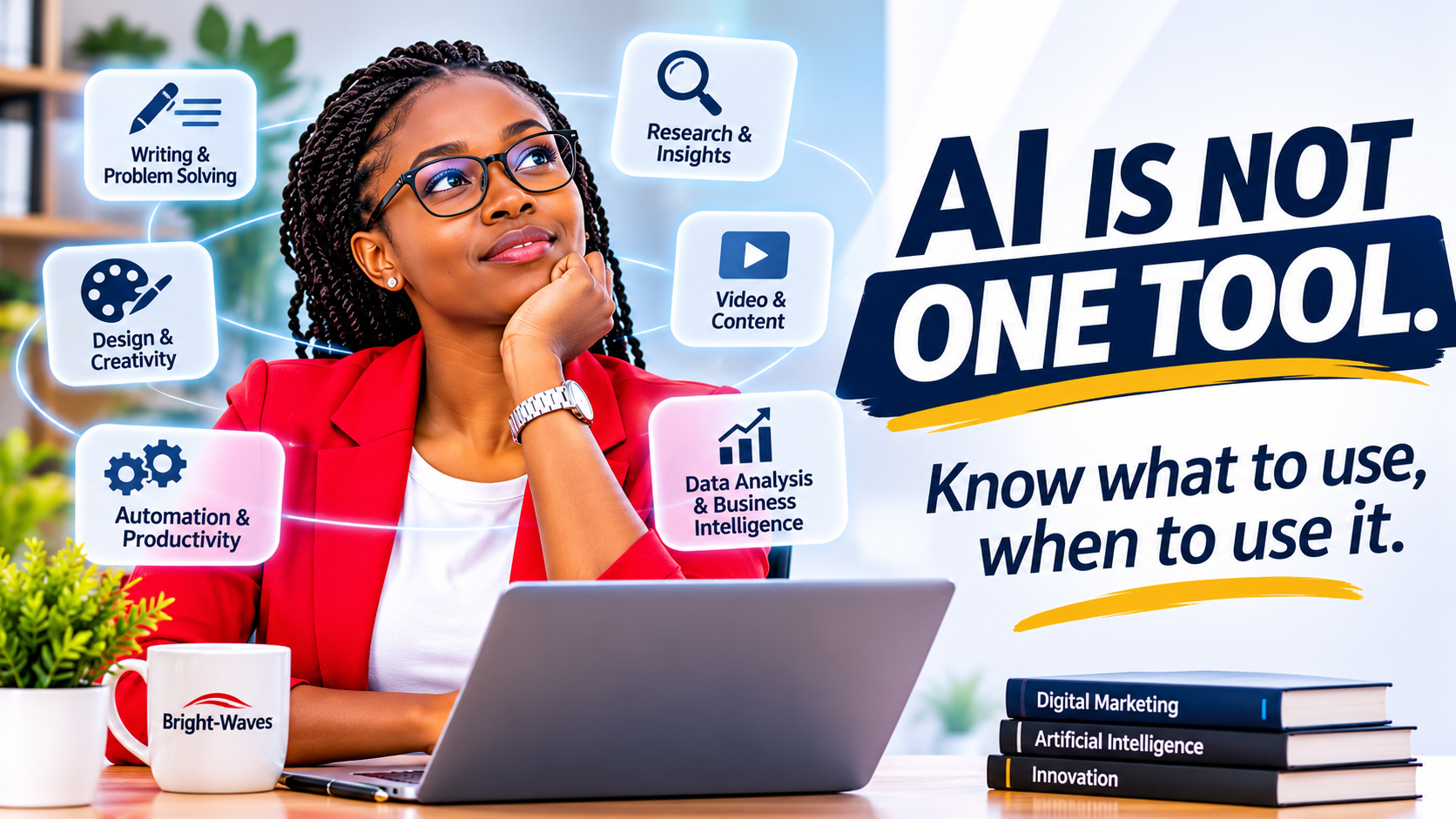
Artificial Intelligence is changing how we work, communicate, create, research and run businesses. From writing reports and designing marketing campaigns to analysing data and automating customer communication, AI tools are becoming part of everyday professional life.
But there is a growing problem.
People are collecting AI tools without necessarily understanding what they are designed to do.
Every week seems to introduce a new AI platform, a more powerful model, another digital assistant or a tool promising to revolutionise productivity. Before long, you have multiple subscriptions, several browser tabs open and absolutely no idea which tool should handle your next task.
It is a little like owning a lorry, a motorbike, a tractor and a Formula 1 car, then asking which vehicle is the best. The answer depends on where you are going and what you need to accomplish. Using a tractor for a dinner date might make for an interesting evening, but it is probably not the most efficient transportation strategy.
The same principle applies to Artificial Intelligence.
The real value of AI isn’t in how many tools you use. It’s in how effectively you use the right tools to solve specific problems.
Whether you are a business owner, marketer, content creator, freelancer, student or corporate professional, understanding the different categories of AI tools can help you make better decisions, reduce repetitive work and improve productivity.
Let’s explore the major categories, the tools worth knowing and how to choose the right one.
1. AI for Writing, Thinking and Problem-Solving
Large Language Models (LLMs) have become some of the most widely used applications of artificial intelligence.
These systems can understand and generate human-like text, analyse information, assist with reasoning and help users work through complex tasks.
Some of the leading platforms include:
ChatGPT
Developed by OpenAI, ChatGPT is a versatile AI assistant that can support writing, research, brainstorming, coding, data analysis, image generation and general problem-solving.
Businesses can use it to:
- Develop marketing strategies and business proposals.
- Draft website content, emails and reports.
- Analyse documents and spreadsheets.
- Generate ideas for products and services.
- Assist with software development.
- Create and refine communication materials.
Claude
Developed by Anthropic, Claude is particularly useful for writing, analysing lengthy documents, working with complex instructions, coding and developing structured content.
It can assist with:
- Reviewing business documents.
- Developing detailed reports.
- Editing and improving written communication.
- Analysing lengthy information.
- Supporting software development and technical problem-solving.
Google Gemini
Google’s AI assistant can help with research, writing, reasoning, image understanding and productivity. Its integration with Google’s ecosystem can also make it useful for people who work extensively with Google services.
Microsoft Copilot
Copilot brings AI assistance into Microsoft’s ecosystem, helping users work with documents, spreadsheets, presentations, emails and other productivity tasks, depending on their subscription and configuration.
When should you use these tools?
Use conversational AI when you need to develop ideas, organise information, produce written material, analyse content or work through a problem.
However, there is an important distinction between generating an answer and obtaining accurate information.
AI systems can produce convincing but inaccurate responses. Always verify important facts, figures, legal information, technical recommendations and business decisions.
Think of AI as an intelligent assistant, not an unquestionable authority.
2. AI for Research and Information Discovery
Research is no longer limited to opening dozens of browser tabs, reading endless articles and attempting to connect information manually.
AI-powered research tools can help users investigate topics, discover sources, compare information and develop a better understanding of unfamiliar subjects.
Some useful platforms include:
Perplexity
Perplexity is an AI-powered answer and research platform that searches the web and provides responses supported by references to sources.
It can be useful for:
- Industry research.
- Competitor analysis.
- Exploring emerging technologies.
- Comparing products and services.
- Discovering relevant articles and reports.
Google NotebookLM
NotebookLM helps users work with information from supplied sources, such as documents, PDFs and other supported materials.
It is particularly useful when you have a collection of research documents and want to summarise, organise and explore the information they contain.
Elicit
Elicit is a research assistant designed to help users discover and analyse academic papers and scientific literature.
It can be useful for evidence-based research, literature reviews and investigating questions that require academic sources.
Why does this matter for businesses?
Imagine you want to launch a new product.
You need to understand the market, identify competitors, examine customer needs and explore potential opportunities.
Instead of relying entirely on manual research, you can use AI-powered research tools to accelerate the information-gathering process.
The important part is evaluating the sources, checking the findings and applying human judgement.
A beautifully formatted research report based on unreliable information is still an unreliable research report.
3. AI for Graphic Design and Visual Creativity
Visual communication plays an important role in how businesses present themselves, attract attention and communicate value.
Artificial Intelligence has introduced new ways of generating images, exploring creative concepts and producing marketing materials.
Some tools worth exploring include:
Canva
Canva is a visual communication and design platform with AI-assisted features for creating presentations, social media graphics, marketing materials and other visual content.
It is particularly useful for small businesses, marketers and content creators who need accessible design workflows.
Adobe Firefly
Adobe Firefly provides generative AI capabilities for creating and editing visual content. It can assist with image generation, creative variations and other design workflows within Adobe’s ecosystem.
Midjourney
Midjourney is known for AI-generated imagery and is particularly useful for artistic concepts, visual exploration, creative direction and imaginative compositions.
ChatGPT Image Generation
ChatGPT can generate images from written descriptions and help users explore visual concepts, illustrations, marketing ideas and creative directions.
An important distinction: AI-generated graphics versus good design
AI has made image generation significantly more accessible.
However, generating an image and designing an effective communication piece are two different things.
Good design requires an understanding of:
- Visual hierarchy.
- Typography.
- Colour theory.
- Composition.
- Spacing and alignment.
- Brand consistency.
- Audience psychology.
A graphic can look impressive and still fail to communicate its intended message.
For businesses, the objective should not simply be to generate attractive images. It should be to create visuals that communicate clearly, reinforce brand identity and support marketing objectives.
AI can accelerate the creative process, but design thinking remains essential.
4. AI for Video, Audio and Content Production
Video has become an important communication and marketing format across websites, social media platforms, advertising campaigns and digital learning environments.
AI-powered production tools are helping creators streamline editing, generate video concepts, improve audio and experiment with different forms of content.
Here are some platforms worth knowing.
CapCut
CapCut provides video editing tools and AI-assisted features for creating short-form videos, promotional content, social media posts and other digital media.
Descript
Descript offers an editing workflow that allows users to work with audio and video through text-based editing. It can be useful for podcasts, interviews, tutorials and recorded presentations.
Runway
Runway provides AI-powered creative tools for video generation and editing, making it useful for experimenting with visual storytelling and AI-assisted video production.
ElevenLabs
ElevenLabs specialises in AI voice technology, including text-to-speech, voice generation and related audio applications.
It can support narration, voiceovers and other audio production workflows.
Where can businesses apply these tools?
Consider a business that wants to produce weekly educational videos.
Traditionally, the process might involve scripting, recording, editing, adding subtitles, producing voiceovers and preparing content for different platforms.
AI-assisted tools can reduce the time required for several of these tasks.
However, successful content still depends on the message, storytelling, creativity and relevance to the intended audience.
Technology can help produce a video. It cannot automatically give that video something meaningful to say.
5. AI for Productivity and Business Automation
This is where Artificial Intelligence and automation can create some of the most significant operational improvements.
Many businesses spend valuable time performing repetitive administrative tasks.
Customer enquiries need to be recorded. Emails need to be organised. Reports need to be prepared. Information needs to move between different applications.
These processes can often be improved through automation.
Some platforms worth exploring include:
Zapier
Zapier connects different applications and allows users to automate workflows between supported services.
For example, a new customer enquiry could trigger a notification, create a spreadsheet entry and initiate a follow-up process.
Make
Make provides visual workflow automation, allowing users to connect applications and build more elaborate automated processes.
n8n
n8n is a workflow automation platform that offers flexibility for connecting applications, APIs and AI services. It is particularly useful for users who want more control over their automation infrastructure.
A practical business example
Imagine a company receives inquiries through its website.
A well-designed automation workflow could:
- Capture the customer’s information.
- Record the inquiry in a CRM system.
- Categorize the enquiry based on its subject.
- Notify the relevant team member.
- Prepare an acknowledgement email.
- Schedule an appropriate follow-up.
Instead of manually moving information between different systems, the business establishes a structured process.
This is the real opportunity of automation: improving how work gets done, not simply producing more content.
Of course, automated processes should include appropriate human oversight, data protection measures and checks to prevent incorrect actions.
6. AI for Coding and Software Development
Artificial Intelligence is also changing how software is developed.
Developers can now use AI assistants to generate code, explain programming concepts, identify errors, review existing code and accelerate certain development tasks.
Some notable tools include:
GitHub Copilot
An AI coding assistant that helps developers write code, understand existing code and work more efficiently within supported development environments.
Cursor
An AI-powered code editor designed to help developers understand, modify and build software projects using AI assistance.
Replit
A browser-based development platform that combines coding environments with AI-assisted application development capabilities.
Windsurf
An AI-powered development environment designed to support coding workflows and help developers work with larger codebases.
Does AI mean developers are becoming unnecessary?
Not quite.
AI can generate code, but building reliable software requires much more than producing lines of programming instructions.
Developers still need to understand:
- System architecture.
- Application security.
- Database design.
- Performance.
- User experience.
- Testing and debugging.
- Maintenance and scalability.
AI can accelerate development, but the quality of the final product still depends on sound technical decisions.
7. AI for Data Analysis and Business Intelligence
Businesses generate information every day through sales, customer interactions, marketing campaigns, website activity and operational processes.
The challenge is turning that information into decisions.
AI-assisted data analysis can help users identify patterns, summarize datasets, interpret results and communicate findings.
Tools worth exploring include:
ChatGPT Data Analysis
Can assist with analyzing uploaded spreadsheets, exploring datasets, creating visualizations and explaining numerical patterns.
Microsoft Power BI
Power BI provides business intelligence and data visualization capabilities, with AI-assisted features available within its ecosystem.
Tableau
Tableau helps organizations explore and visualize data, identify patterns and communicate business insights.
A practical example
Suppose a business spends money on advertising across Facebook, Instagram and Google.
Instead of looking at individual campaign reports in isolation, the business can analyze:
- Advertising expenditure.
- Website traffic.
- Leads generated.
- Conversion rates.
- Customer acquisition costs.
- Revenue generated.
This helps answer a more important question:
Are our marketing activities generating business results, or are we simply paying for attention?
That distinction matters.
8. How to Choose the Right AI Tool for Your Needs
With so many AI platforms available, choosing the right one can become overwhelming.
The easiest way to approach this is to start with the task rather than the technology.
Before subscribing to another platform, ask yourself the following questions.
1. What problem am I trying to solve?
Are you struggling with writing, research, design, video production, data analysis or repetitive administrative work?
Identify the problem first.
2. How frequently do I perform this task?
A task performed several times every day may justify investing in an AI-powered solution more than something you only do once every few months.
3. Does the tool genuinely improve the result?
Faster is not always better.
Compare the quality of the work produced with and without AI assistance.
4. Does it integrate with my existing workflow?
A tool that works well with your current systems may be more valuable than one that requires an entirely new working environment.
5. What are the costs and limitations?
Consider subscription fees, usage limits, data privacy, integrations and the time required to learn the platform.
6. Can I test it before committing?
Where available, explore free versions, trials and demonstrations before paying for a subscription.
You do not need to subscribe to every tool you encounter.
You need a collection of tools that solves your actual problems.
9. Building Your Own Practical AI Toolkit
If you are just beginning to explore Artificial Intelligence, you do not need to master every platform.
Start with a small collection that supports your everyday activities.
For example:
| Your need | Tools to explore |
|---|---|
| Writing and problem-solving | ChatGPT, Claude |
| Research | Perplexity, NotebookLM |
| Graphic design | Canva, Adobe Firefly |
| Image generation | Midjourney, ChatGPT |
| Video editing | CapCut, Descript |
| AI video production | Runway |
| Voice generation | ElevenLabs |
| Workflow automation | Zapier, Make, n8n |
| Coding | GitHub Copilot, Cursor |
| Data analysis | ChatGPT, Power BI |
These are examples, not a definitive ranking. Each platform has different capabilities, pricing structures, limitations and use cases. Features also change frequently.
Choose based on your requirements rather than popularity.
The Bigger Picture: AI Is a Tool. Knowing What to Do With It Is the Advantage.
Artificial Intelligence is becoming an increasingly important part of modern business and professional life.
However, the biggest advantage will not necessarily belong to people who know the greatest number of AI platforms.
It will belong to people who understand problems, ask better questions, evaluate information, make sound decisions and know how to combine technology with human judgement.
For businesses, this means looking beyond the excitement surrounding new AI products and asking a more practical question:
How can this technology improve the way we operate, communicate, serve customers and grow?
A small business that uses automation to improve customer follow-ups may gain more value than a company subscribing to ten AI platforms without a clear implementation strategy.
A marketer who understands customer behaviour, positioning and communication will get more out of AI than someone who simply generates hundreds of social media graphics.
A developer who understands software architecture will use coding assistants more effectively than someone who assumes AI-generated code is automatically production-ready.
The technology is powerful, but the thinking behind its application matters just as much.
At Bright-Waves, we believe technology should solve problems, create opportunities and make businesses more effective. AI is not simply another digital trend to follow. It is an opportunity to rethink how work gets done.
The objective is not to use AI everywhere.
It is to know where AI makes a difference.
Let’s Start a Conversation
If you could automate, simplify or significantly improve just one task in your business or daily work using AI, what would it be?
Perhaps it is customer communication, content production, research, reporting or an administrative process that consumes too much of your time.
Start with that problem. Find the right tool. Test the solution. Measure the results.
And remember: You don’t need 25 AI subscriptions to become more productive. Sometimes, you just need one tool that does the right job exceptionally well.
Need help identifying where AI, automation or digital strategy could improve your business?
Bright-Waves helps businesses strengthen their digital presence, improve communication and explore practical technology-driven solutions.
Visit bright-waves.com to explore how we can help your business move forward.